Home, monthly leaderboard and managed work
Trackify was built to make estimates matter. Home shows your week, the Monthly leaderboard rewards finishing within your ETA, and Managed work is where leads review the estimates their team submits.
For: MemberManagerOwner
Home
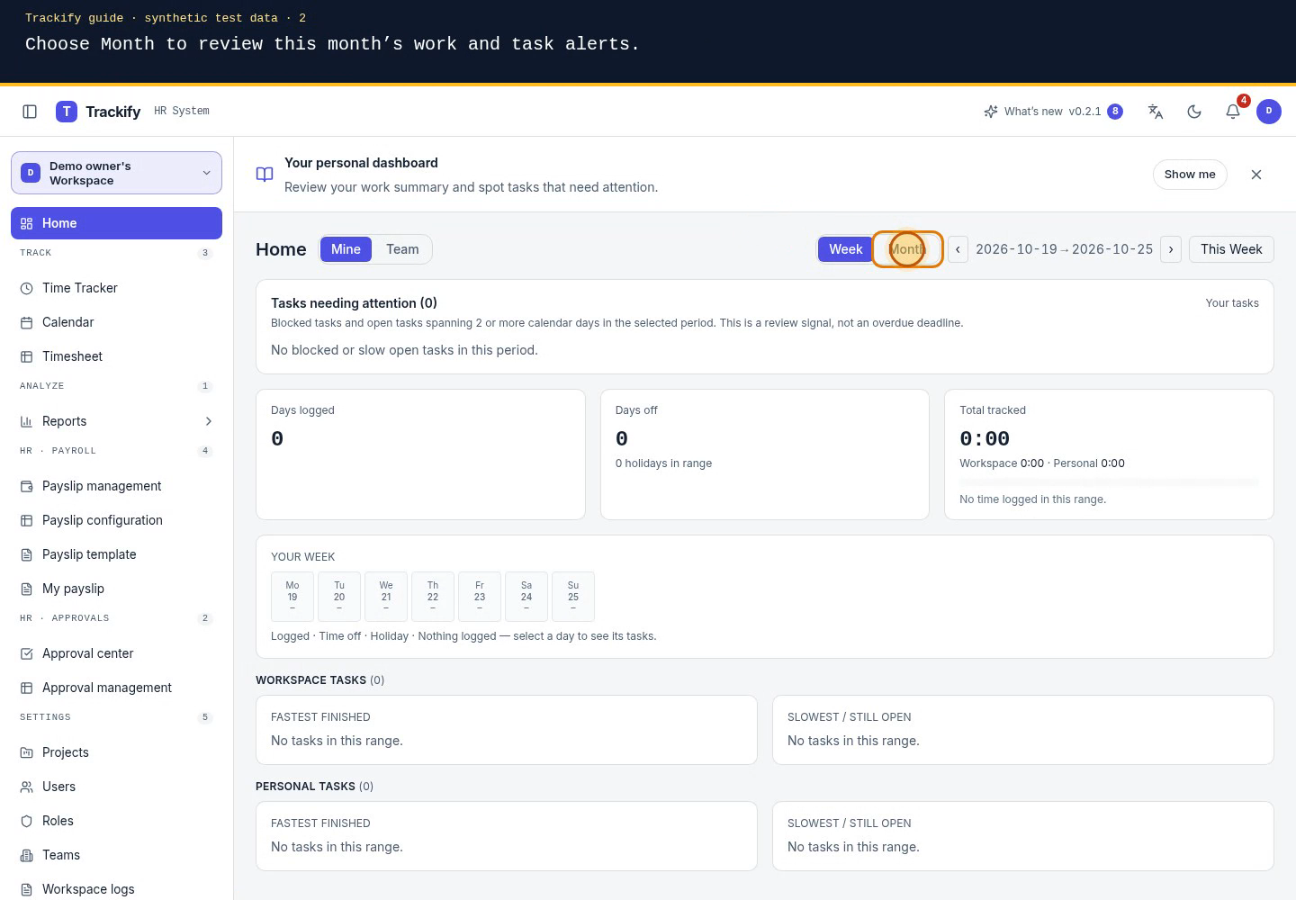
Home opens on your own week. Managers can switch between Mine and Team and between Week and Month.
- Tasks needing attention — blocked tasks and open tasks that have spanned two or more calendar days. A review signal, not an overdue deadline.
- Days logged, Days off (approved leave and holidays) and Total tracked, with the Timer vs manual split.
- Your week — a day-by-day strip; select a day to see its tasks.
- Fastest finished and Slowest / still open tasks, for workspace and personal projects.
- In Team view, managers also see who is off and a per-member breakdown with TrackIn (days started) and TrackOut (days closed with Close the day).
How the monthly leaderboard scores
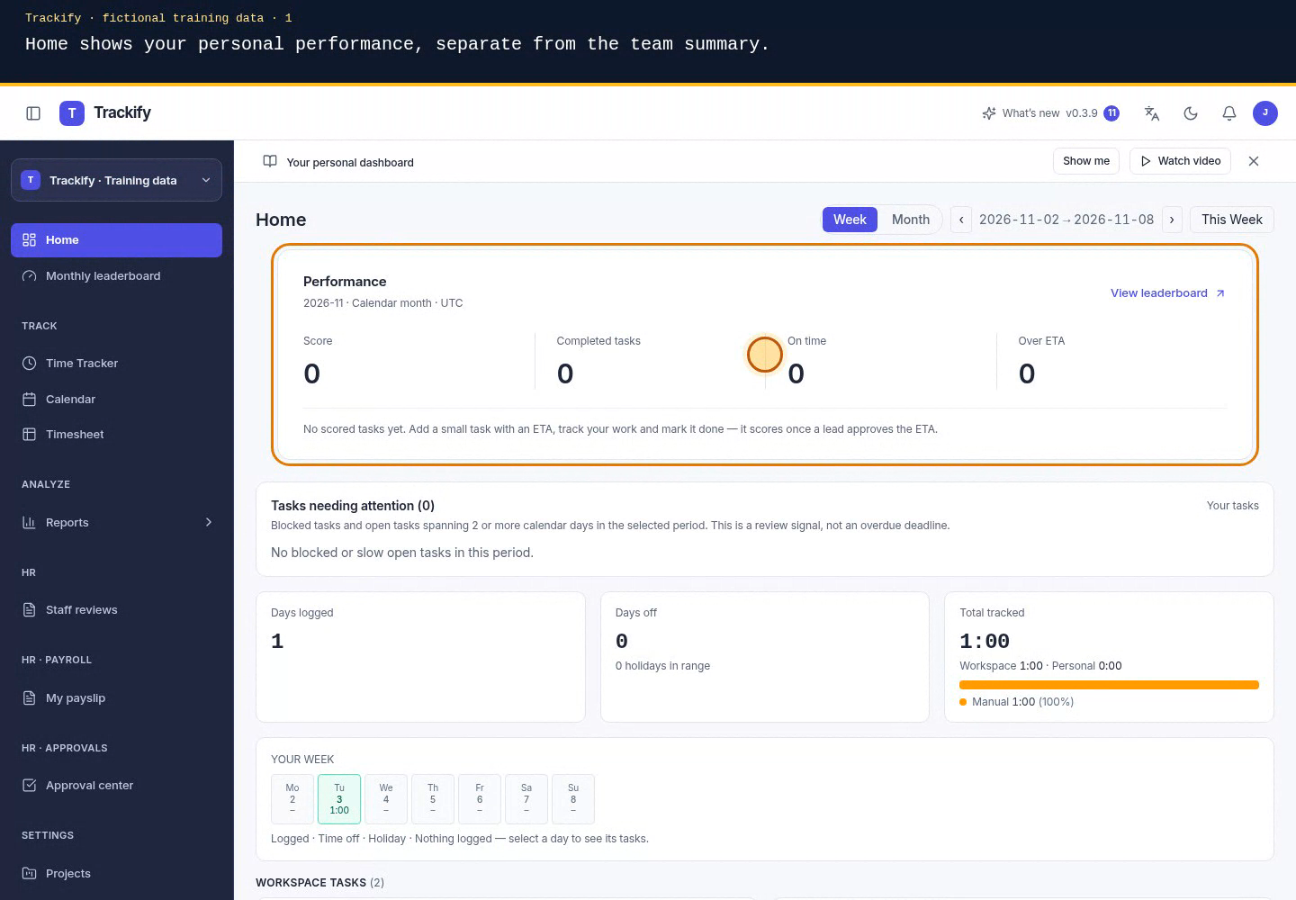
Every active member appears on the Monthly leaderboard. Each completed task with an approved ETA scores once:
- +1 when the time tracked on it is at or under the approved ETA.
- −1 when it goes over.
- Ties are broken by the number of on-time tasks, then by name.
Columns: Rank, Staff, Score, Completed tasks, On time, Over ETA and On-time rate. Months are calendar months (UTC). Running tasks, tasks still waiting for ETA review, and tasks with time logged before any ETA are not scored.
Managed work: reviewing ETAs
Owners, Admins, team leads and project managers see Managed work in the sidebar.
- Open Managed work → ETA reviews.
- Approve ETA as submitted, or Approve at a lower value when the estimate is generous (raising is not allowed).
- Request changes with written feedback when the task should be split or re-estimated. The member must send a new ETA before tracking more.
- Owners and Admins can also Assign project leads here and Save project leads.
You cannot approve your own ETA.
Try it with your team
Trackify is free for up to 5 users, with no time limit and no card required.